






Zombs Royale Mobile Online – The Complete 2025 Guide (Play Anywhere)
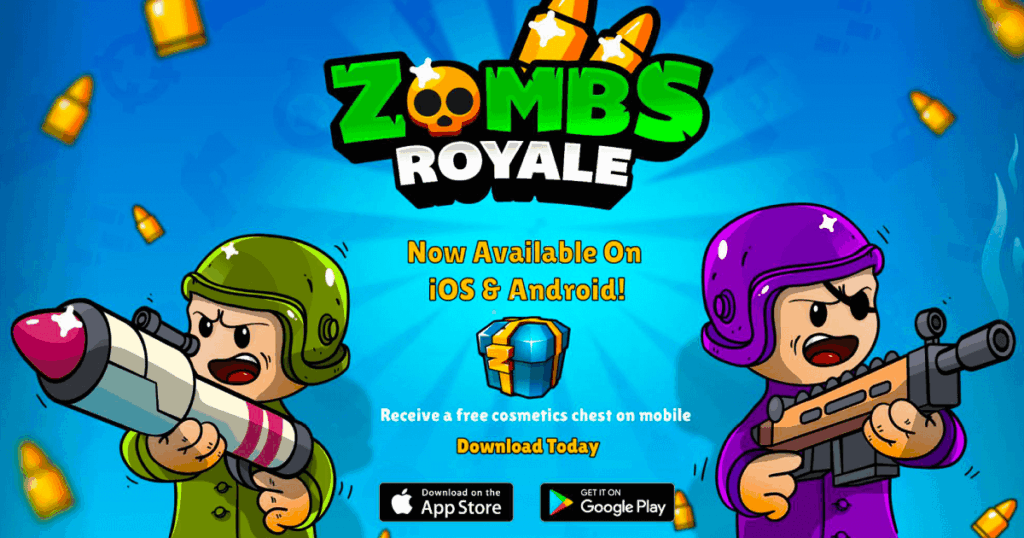
Zombs Royale has become one of the most popular 2D battle royale games not just on PC, but also on mobile. In 2025, more and more players want to enjoy Zombs Royale mobile online – directly from their phones or tablets, without complicated downloads, heavy game files, or powerful hardware.
If you are looking for a way to play Zombs Royale on your phone for free, without any risky APKs or fake hacks, this guide is for you. We will explain how to play online in your mobile browser, when the official app makes sense, how to get the best performance, and what to avoid to keep your device and account safe.
🎮 Play Zombs Royale Online on Mobile (Free – No Download)
What Does “Zombs Royale Mobile Online” Actually Mean?
When players search for “Zombs Royale mobile online”, they usually mean one of two things:
- Playing Zombs Royale in a mobile browser (Chrome, Safari, etc.), without installing anything.
- Playing the official mobile app using an internet connection, but still wanting a “quick access” experience.
This guide focuses mainly on the first option: playing Zombs Royale online on mobile, directly from your browser. This method is:
- Fast
- Free
- No download required
- Light on storage
However, we will also compare this approach to the official app so you can choose the best option for your situation.
Why Play Zombs Royale Online on Mobile Instead of Downloading?
There are many reasons why players prefer mobile browser play instead of installing a full app:
- No storage issues: You don’t have to worry about your phone’s memory filling up.
- No updates to manage: The game is updated on the server side, so you always load the latest version.
- Instant access: Just open a link and start playing.
- Perfect for shared devices: Great on school tablets, family phones, or borrowed devices.
- Less commitment: You can play casually without installing anything permanent.
If your main goal is to enjoy Zombs Royale quickly and easily, the mobile online version is one of the best options in 2025.
▶️ Play Zombs Royale in Your Mobile Browser Now
How to Play Zombs Royale Online on Mobile (Step-by-Step)
Here is a simple step-by-step process to start playing Zombs Royale on your phone or tablet:
- Open your preferred mobile browser (Chrome, Safari, Firefox, Edge, etc.).
- Make sure your internet connection is stable (Wi-Fi is recommended).
- Visit the game page: ZombsRoyale.xyz or your chosen Zombs Royale browser portal.
- Wait for the game to load fully – this usually takes just a few seconds.
- Choose your game mode and start playing.
You do not need to install anything, and you can return to the game simply by revisiting the same URL or saving it as a home screen shortcut.
Browser vs Official App – Which Is Better on Mobile?
Both options (online browser and official app) have their strengths. Here’s a quick comparison to help you decide:
| Feature | Mobile Browser (Online) | Official Mobile App |
|---|---|---|
| Installation | No install required | Requires download from store |
| Storage usage | Very low (only browser cache) | Uses space on device |
| Updates | Automatic on server side | Needs app updates over time |
| Launch speed | Very fast – open link and play | Fast once app is installed |
| Control customization | Depends on browser and in-game options | Optimized for mobile controls |
| Best for | Casual players and low-storage devices | Frequent players who want a dedicated app |
If you are just starting or playing casually, mobile browser online is usually enough. If you play every day and want notifications and tighter integration, the official app can be a good complement.
Is Zombs Royale Mobile Online Truly Free?
Yes. Just like the PC and browser versions, Zombs Royale mobile online is free to play. You don’t have to pay to:
- Enter matches
- Enjoy game modes
- Play with friends
The only optional purchases are cosmetics, which are:
- Visual only
- Do not affect game balance
If you want a deeper breakdown of the free model, check:
How to Get the Best Performance on Mobile Online
Even if the game is light, performance on mobile browsers can vary. Here are some tips to get smooth gameplay:
1. Close Other Tabs and Background Apps
Before starting Zombs Royale on mobile, close unused apps and browser tabs. This frees up RAM and helps your device focus on the game.
2. Use a Stable Internet Connection
For best results, play on Wi-Fi or a strong 4G/5G connection. Avoid weak signals or crowded networks that may cause delay.
3. Turn On “Desktop Site” Only If Needed
Some players like to enable “Desktop Site” in their mobile browser settings for a larger view area. Try both modes and see which feels better for your screen size.
4. Keep Your Browser Updated
An updated browser usually has better performance, security, and compatibility with modern web games like Zombs Royale.
Can You Play Zombs Royale Mobile Online at School?
Many students want to play Zombs Royale on school Wi-Fi or school devices. In this case, the mobile browser version is often the most convenient option because:
- It does not require installation.
- It can run on school tablets or Chromebooks.
- It is quick to open and close.
However, whether it works or not depends on your school’s network restrictions. Some schools block gaming websites or certain domains. For more information about this topic, you can read:
Remember to always respect your school’s rules and policies while using school networks and devices.
What About Zombs Royale APK and Mobile Hacks?
When talking about mobile, you will see a lot of search results for:
- “Zombs Royale APK”
- “Zombs Royale mobile hacks”
- “Zombs Royale mod menu Android”
These are usually unsafe. Many “APK hacks” or “mod menus” are designed to:
- Install harmful software
- Steal account information
- Show intrusive ads
If you see any site promising unlimited coins, free skins, or unfair advantages, you should avoid it. They do not offer real cheats; they offer real risks.
For more details on this subject, read:
- Zombs Royale APK – Do You Really Need It in 2025?
- Zombs Royale Hacks 2025 – Risks and Safe Alternatives
Tips to Improve at Zombs Royale Mobile Online (Without Cheats)
If you want to play better on mobile, you do not need hacks or unfair tools. Here are safe ways to improve:
- Practice regularly: The more you play, the more natural your reactions become.
- Learn the map: Recognizing locations helps you move smarter and avoid risky areas.
- Use comfortable controls: Adjust sensitivity and layout if the game allows it.
- Stay calm: Many mistakes happen because players panic in intense situations.
If you want more structured advice, these guides can help:
- Best Battle Royale Strategies
- How to Improve Aim in Online Shooter Games
- Top Tips for Winning Battle Royale Matches
Is Zombs Royale Mobile Online Good for Casual Players?
Yes. Zombs Royale mobile online is perfect for:
- Players who only have a few minutes to play.
- People who share devices with family or friends.
- Students who play during breaks.
- Anyone who doesn’t want to fill their phone storage.
Since you can start a match in seconds, it is one of the best “pick up and play” games for 2025.
📱 Play Zombs Royale on Your Phone – No Install Required
Best Alternatives to Zombs Royale for Mobile Online
If you like Zombs Royale, you may also enjoy other mobile-friendly online games with quick matches and simple controls. Some popular alternatives include:
- Top-down survival shooters in the browser.
- Other 2D royale-style games.
- Lightweight shooters designed for mobile.
For a curated list of games similar to Zombs Royale, visit:
FAQ – Zombs Royale Mobile Online (2025)
Can I play Zombs Royale online on my phone without downloading?
Yes. You can play Zombs Royale directly in your mobile browser without installing any app. Just open a supported website that hosts the game and start playing.
Is Zombs Royale mobile online free?
Yes, it is completely free. You can join matches and enjoy the full experience at no cost.
Which browser is best for Zombs Royale on mobile?
Modern browsers like Chrome, Safari, Firefox, and Edge all work well. The best choice depends on your device, but using an updated browser is always recommended.
Is it better to use the app or the browser on mobile?
For casual play or low storage devices, the browser is best. For frequent players who want a dedicated icon and integrated experience, the app can be more convenient.
Can I use hacks on Zombs Royale mobile?
No. Hacks are fake, unsafe, and can get your account banned. They also risk damaging your device. It is always better to play fairly and focus on improving your skills.
Does Zombs Royale mobile online work on school Wi-Fi?
It depends on your school’s network rules. Some schools block game websites, while others do not. Unblocked versions may work, but you should always respect local rules and policies.
Conclusion – The Best Way to Play Zombs Royale Mobile Online in 2025
Zombs Royale mobile online makes it easier than ever to enjoy fast, fun battle royale matches from your phone or tablet. You do not need a powerful device, large downloads, or special tools. All you need is a modern browser, a stable connection, and a few minutes of free time.
For most players, the best setup in 2025 is:
- Play in the mobile browser for instant access and no storage issues.
- Use the official app if you want a more permanent mobile experience.